
So ändern Sie Aktionen #
Mango WM allows you to change actions with ease. You can use the following methods:
Methode 1:
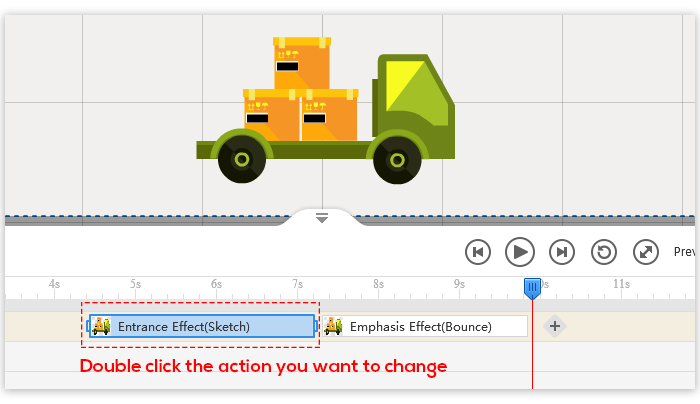
1. Double click the action you want to change on the Action Line.
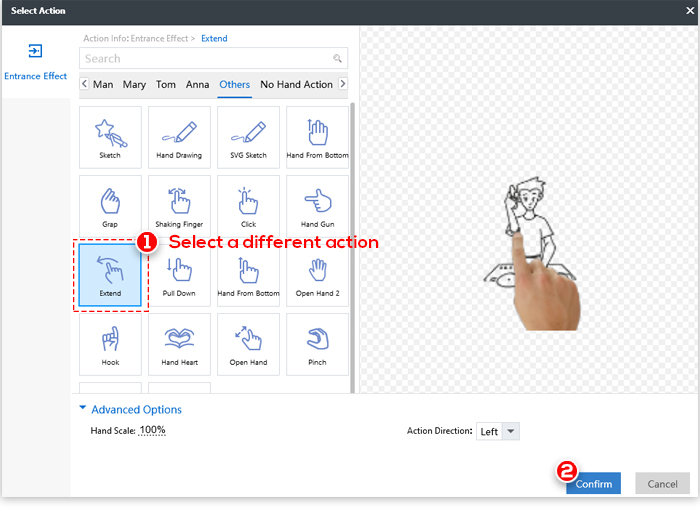
2. Select a different action in the pop-up window.
3. Click “Confirm”.
Methode 2:
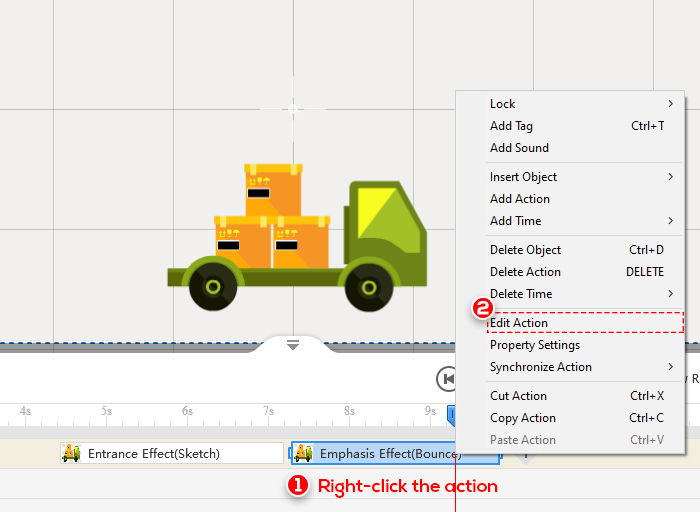
1. Right-click the action you want to change on the Action Line.
2. Click “Edit Action”.
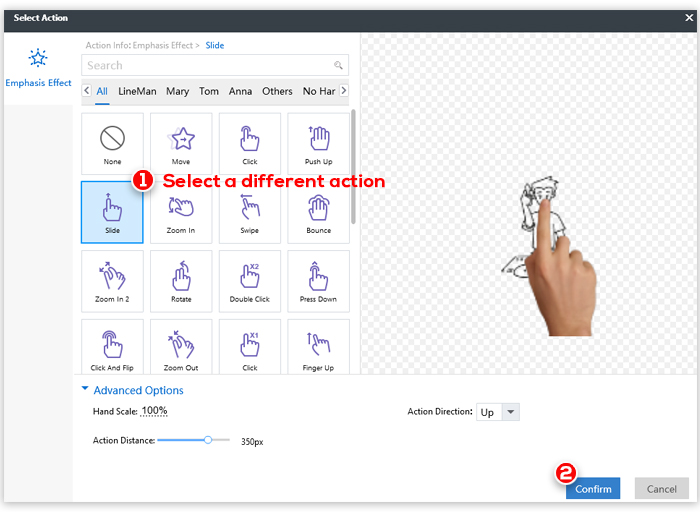
3. Select a different action in the pop-up window.
4. Click “Confirm”.


 Deutsch
  English
  Español
  Português
  Français
  繁體中文
繁體中文  Italiano
  한국어
한국어  Русский
  Română
  Polski
  Nederlands
  العربية
  日本語
日本語  Dansk
Dansk  Tiếng Việt
  עִבְרִית
  Hrvatski
  Čeština
  Magyar
  Türkçe
  ไทย
ไทย  Slovenščina
  Bahasa Indonesia