
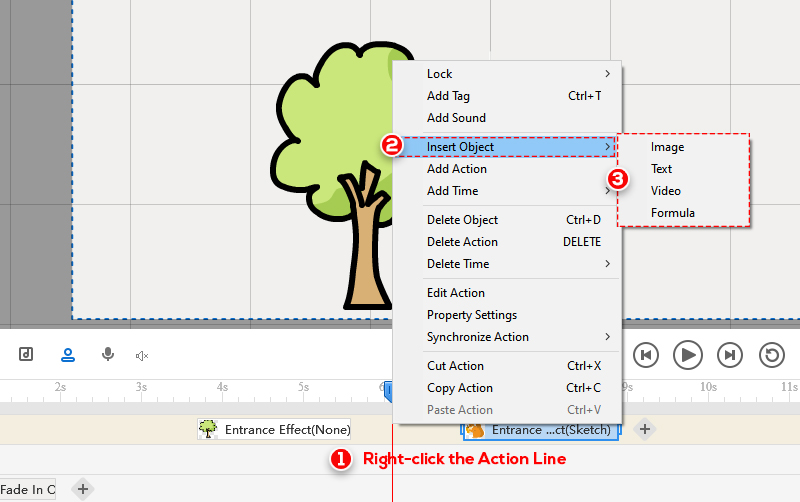
You can add new objects between two actions quickly. The steps are as follows:
1. On the Action Line, right-click the blank space between two actions.
2. Select “Insert Object” on the menu.
You can insert images, text, video, or formula according to your needs.


 Türkçe
  English
  Español
  Português
  Deutsch
  Français
  繁體中文
繁體中文  Italiano
  한국어
한국어  Русский
  Română
  Polski
  Nederlands
  العربية
  日本語
日本語  Dansk
Dansk  Tiếng Việt
  עִבְרִית
  Hrvatski
  Čeština
  Magyar
  ไทย
ไทย  Slovenščina
  Bahasa Indonesia