
Adding a curved skeleton to a character makes the character’s movement gentler and smoother. Curved skeletons are suitable for characters with a softer path of movement.
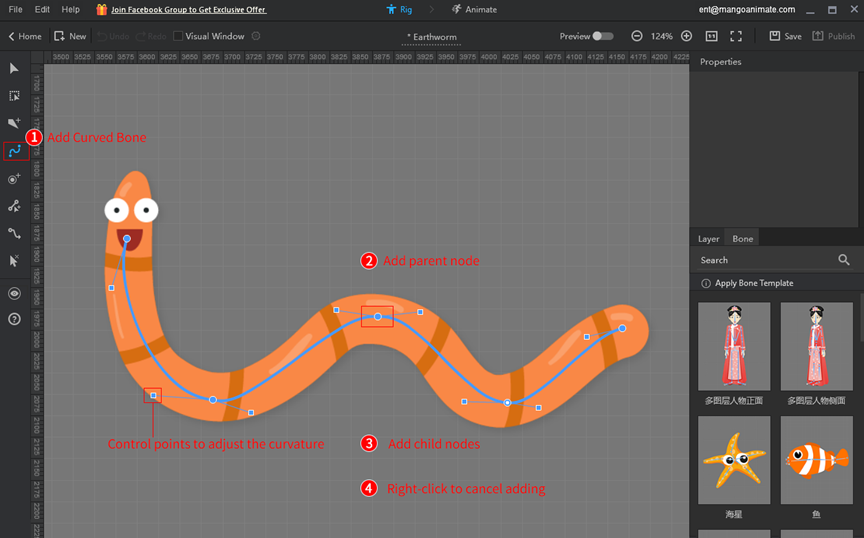
In the bone editor, click [Add Curved Bone] > add parent node > add child nodes from the parent node > right-click to cancel adding.
Tips: The control points can adjust the curvature of curved bones.


 Deutsch
  English
  Español
  Português
  Français
  繁體中文
繁體中文  Italiano
  한국어
한국어  Русский
  Română
  Polski
  Nederlands
  العربية
  日本語
日本語  Dansk
Dansk  Tiếng Việt
  עִבְרִית
  Hrvatski
  Čeština
  Magyar
  Türkçe
  ไทย
ไทย  Slovenščina
  Bahasa Indonesia