
Adding sound or music to the animated video can make it more vivid and interesting. Specific steps are as follows.
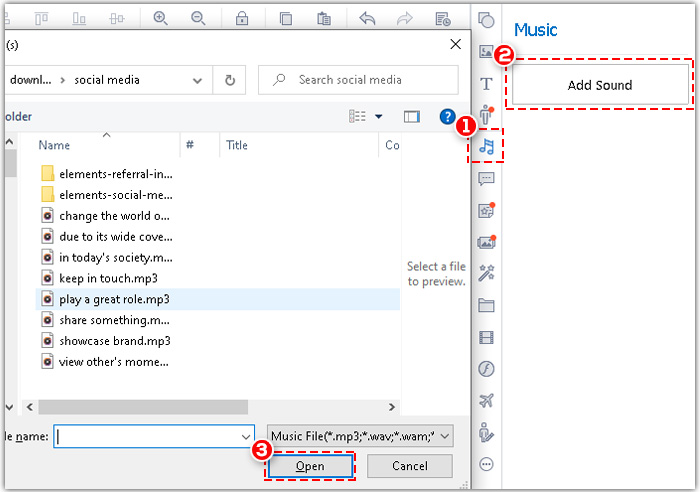
Step1. Click the “Music” tab on the right-side toolbar>choose the music that you want to add and click “Open”.
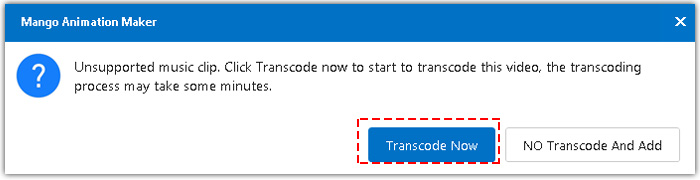
Step2. Transcode.
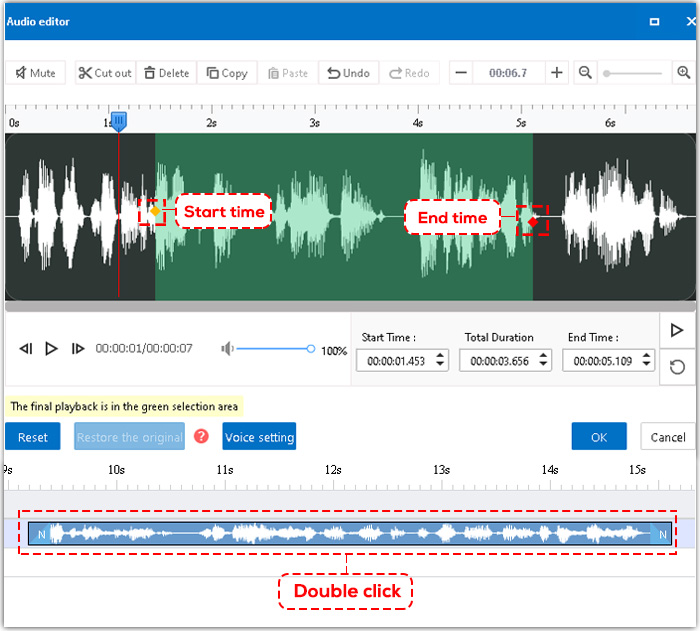
Step3. Double click the audio element on the timeline>edit the audio.
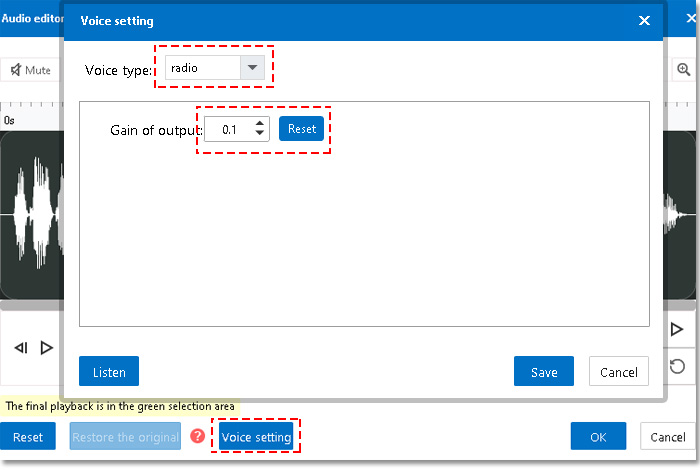
Step4. Click “Voice setting”. You can change the voice type and the gain of output as you like.


 English
  Español
  Português
  Deutsch
  Français
  繁體中文
繁體中文  Italiano
  한국어
한국어  Русский
  Română
  Polski
  Nederlands
  العربية
  日本語
日本語  Dansk
Dansk  Tiếng Việt
  עִבְרִית
  Hrvatski
  Čeština
  Magyar
  Türkçe
  ไทย
ไทย  Slovenščina
  Bahasa Indonesia