Mango Animate Help Center
< 1 min read
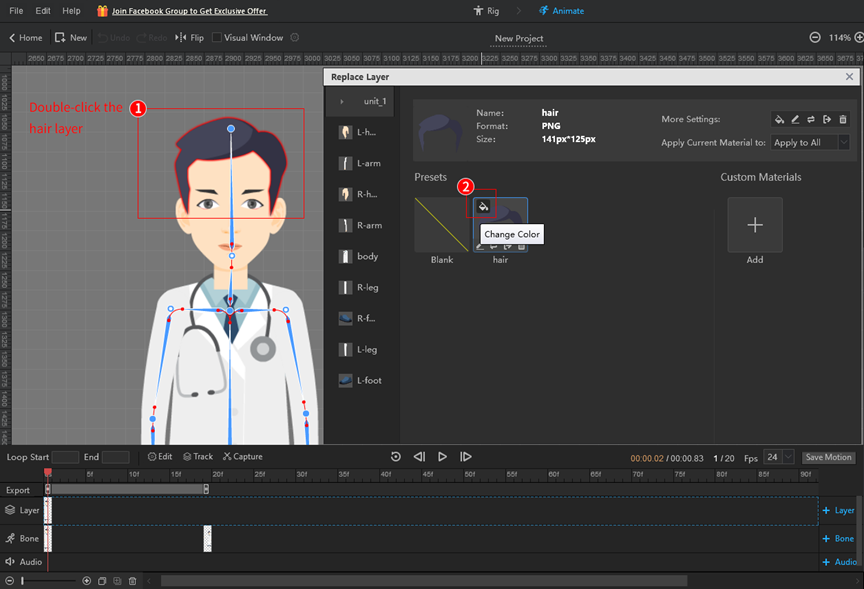
In the animate mode, double-click on the hair layer;
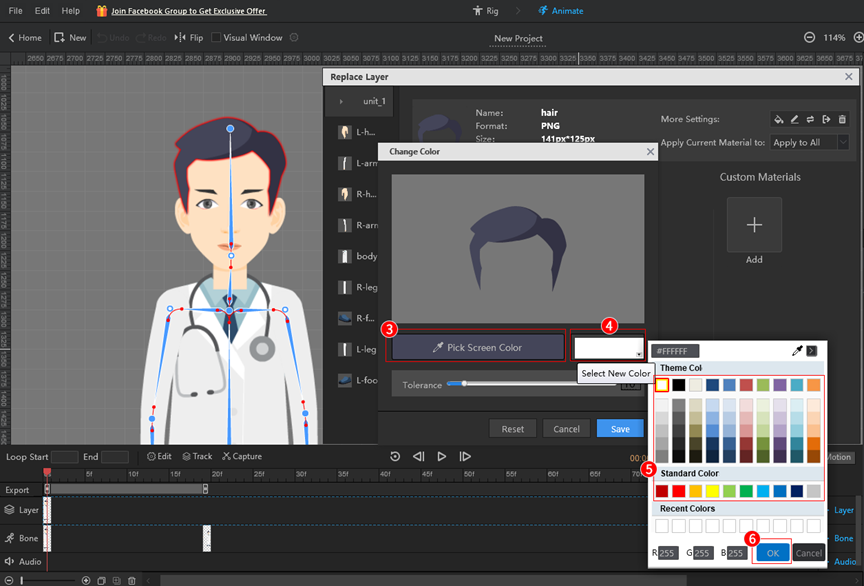
Click [Change Color] in the [Replace Layer] pop-up > [Pick Screen Color] > [Select New Color] > select a color > [OK].
What are your feelings



 English
  Español
  Português
  Deutsch
  Français
  繁體中文
繁體中文  Italiano
  한국어
한국어  Русский
  Română
  Polski
  Nederlands
  العربية
  日本語
日本語  Dansk
Dansk  Tiếng Việt
  עִבְרִית
  Hrvatski
  Čeština
  Magyar
  Türkçe
  ไทย
ไทย  Slovenščina
  Bahasa Indonesia