
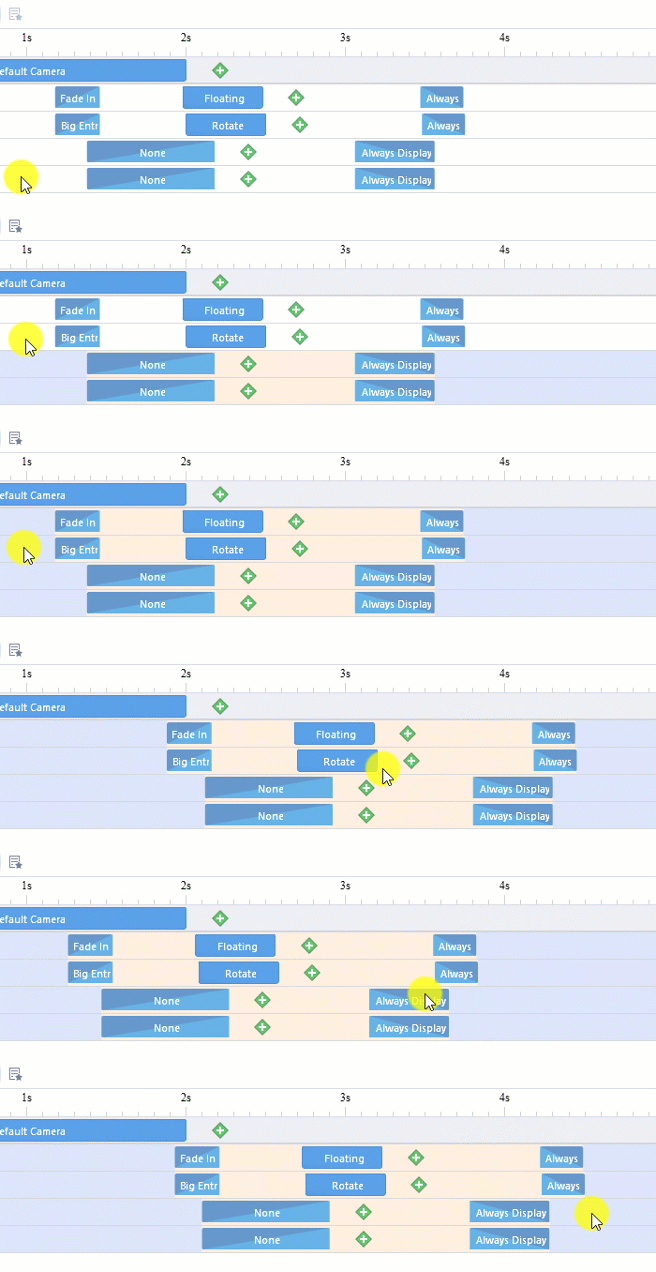
In Mango Animation Maker, you can customize the start/end time of animated objects by dragging them to the desired place in timeline.
1. Hold on Shift or Ctrl to choose multiple animated objects
2. Click anywhere of the timeline area of the chosen objects and drag them to the desired place.


 English
  Español
  Português
  Deutsch
  Français
  繁體中文
繁體中文  Italiano
  한국어
한국어  Русский
  Română
  Polski
  Nederlands
  العربية
  日本語
日本語  Dansk
Dansk  Tiếng Việt
  עִבְרִית
  Hrvatski
  Čeština
  Magyar
  Türkçe
  ไทย
ไทย  Slovenščina
  Bahasa Indonesia