
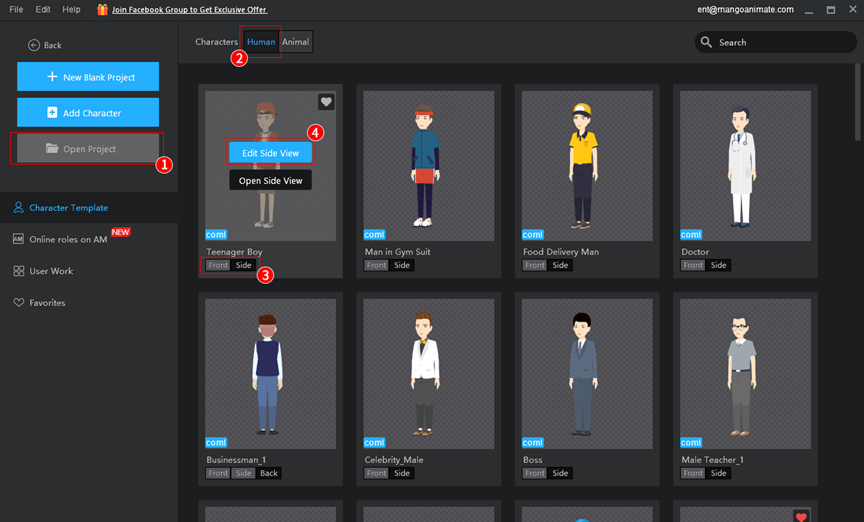
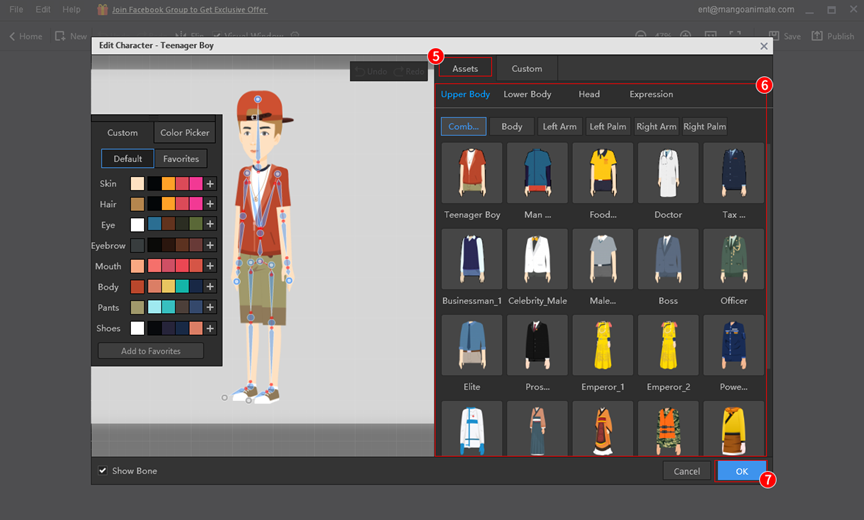
You can change clothes and other outfits for your character before you animate it.
In the home screen, click [Character Template] > [Human] > [Front/Side/Back] > [Edit] > [Assets] > choose the outfits you like > [OK].
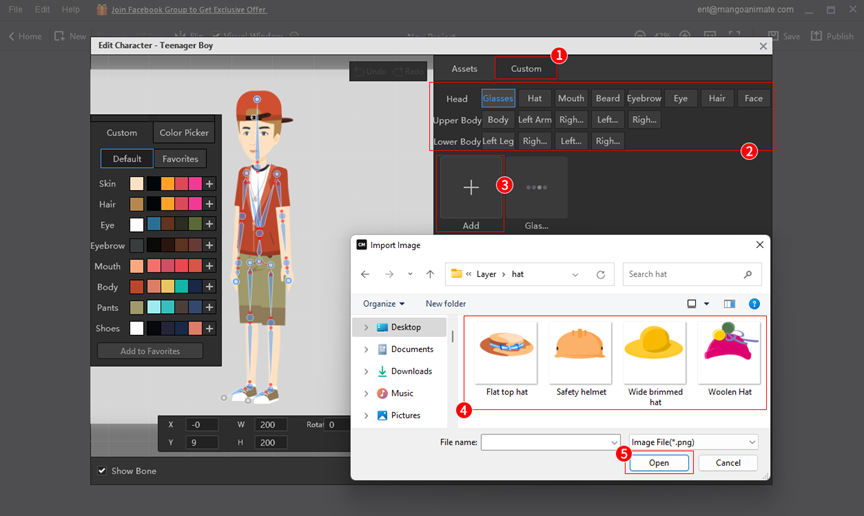
You can import the custom resources to replace the outfits for the template characters.
[Custom] > Select a category > [Add] > select images to import > [Open].


 English
  Español
  Português
  Deutsch
  Français
  繁體中文
繁體中文  Italiano
  한국어
한국어  Русский
  Română
  Polski
  Nederlands
  العربية
  日本語
日本語  Dansk
Dansk  Tiếng Việt
  עִבְרִית
  Hrvatski
  Čeština
  Magyar
  Türkçe
  ไทย
ไทย  Slovenščina
  Bahasa Indonesia